
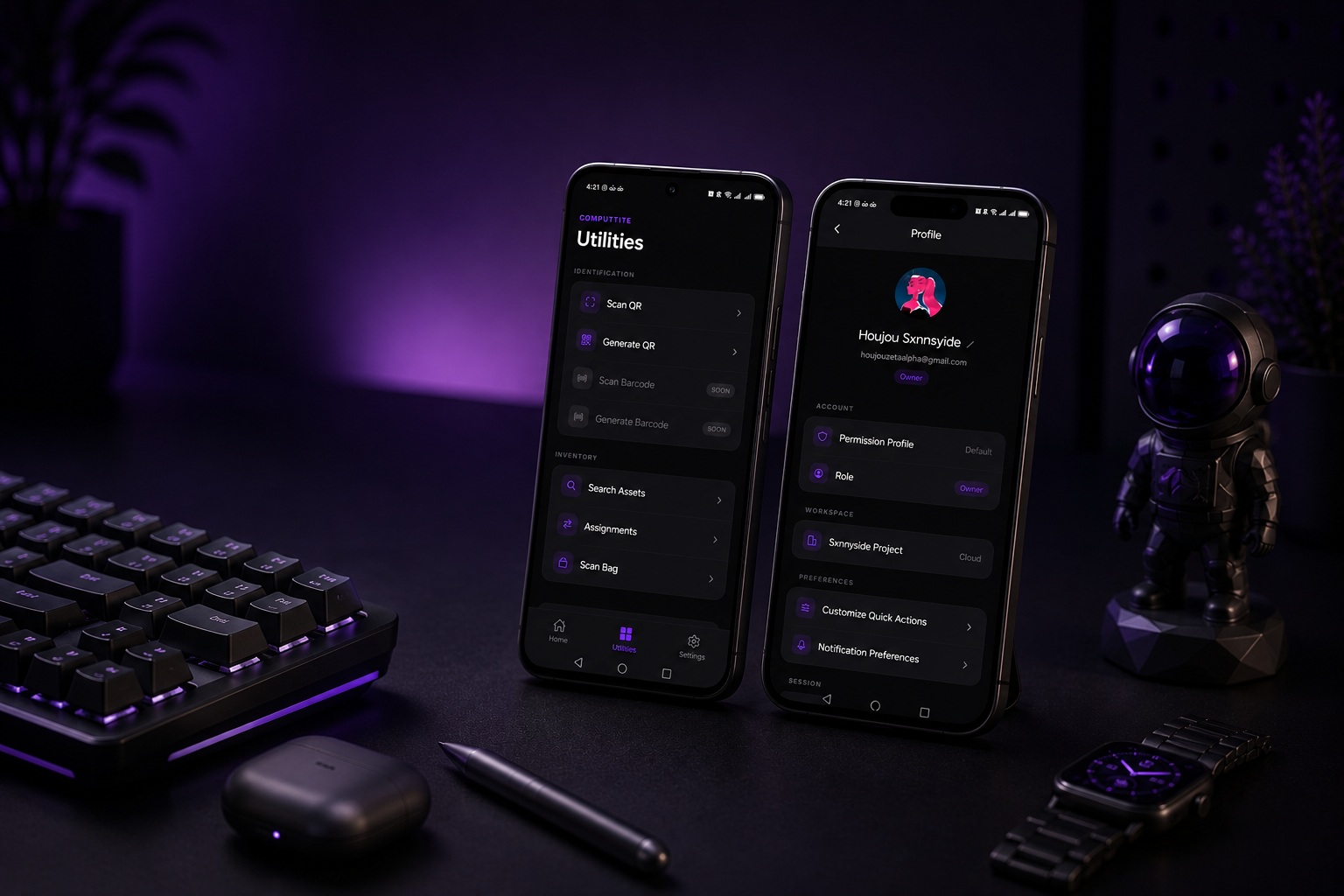
Why a Companion?
Because IT work happens everywhere except the desk. The Companion brings asset scanning, batch operations, and real-time updates to wherever the hardware actually lives.
-
Warehouse
Receive, check-in, and organize shipments directly in the storage facility without needing a laptop.
-
Office Floors
Audit desks, update hardware owners, and verify device serials on the go.
-
Audit Rounds
Perform routine asset inspections with rapid barcode or QR scanning.
-
Meeting Rooms
Assign temporary equipment or verify reservations right in the room.
-
Server Rooms
Access rack details, check hardware specifications, and register upgrades on site.
Built for field work.
Everything your team needs to scan, audit, and update assets without stepping back to a desk.
- Advanced scanning Scan native computtite:// QR codes and Code-128 barcodes to pull up full asset records on the spot.
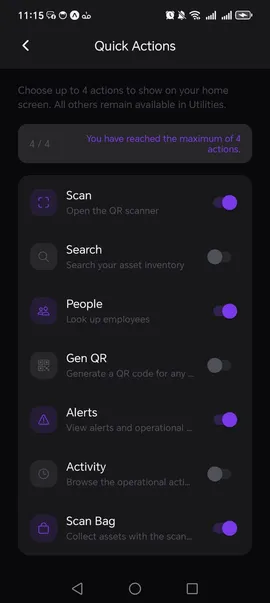
- Scan Bag Load assets into a virtual bag as you scan them, then bulk-assign, return, or flag for maintenance in a single step.
- Physical audits Compare a scanned bag against a department's expected inventory. The app shows what's missing or out of place.
- On-the-go updates Change asset status, reassign equipment, and view complete records directly from the field.
- Activity & alerts Monitor a chronological feed of workspace events and get tailored alerts based on your notification preferences.
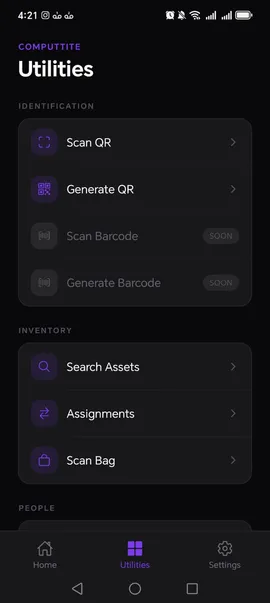
One hub. Every tool.
The Utilities tab gives you quick access to every scanning, search, and awareness tool in the app — organized by what you're trying to do.
-
Identification
Scan QR codes to instantly look up assets. Generate computtite:// codes for untagged hardware.
-
Inventory
Search assets by name, type, or serial number. Filter by assignment status and open the Scan Bag for batch operations.
-
People
Look up employees and view their current asset assignments without leaving the app.
-
Alerts & activity
Check real-time workspace alerts and scroll the full activity timeline — all from one place.
Governance follows you.
Your permission profile from the Desktop workspace applies on mobile automatically. The rules don't change because the screen is smaller.
- Role-based access Your permission profile from the Desktop workspace applies on mobile automatically — you can only act within your authorized scope.
- Cloud-only sync The Companion works exclusively with Supabase Cloud workspaces — the same data source as your desktop, always current.
- Full activity trail Every scan, assignment, and status change made on mobile is recorded in the central workspace activity timeline.
Continuous workflow integration.
The Companion is an extension, not a standalone. Every action on mobile writes back to the same workspace your desktop reads from.
The Companion connects exclusively to Supabase Cloud workspaces. Every scan, assignment, and update syncs in real time — no lag, no conflict.
Platform Availability
Computtite Mobile Companion is in active development and will be available on all major mobile platforms.
-
Android
Development Roadmap
Coming Soon -
iOS
Development Roadmap
Coming Soon
Mobile FAQ
-
Yes. The Mobile Companion is designed to extend Computtite Desktop and requires an active workspace configured on the desktop client.
-
No. The Companion connects exclusively to Supabase Cloud workspaces and requires an active internet connection. There is no local or offline mode. If your team needs offline ITAM, Computtite Desktop covers that with its local workspace mode.
-
Yes. The app uses your smartphone's camera to scan standard 1D barcodes and 2D QR codes to quickly look up assets.
-
Yes. Both platforms will share the same capabilities and visual experience built on our cross-platform framework.
-
Yes, the Mobile Companion is free to use alongside Computtite Desktop's standard and cloud features.
IT asset management. Now in your pocket.
Get notified when the Companion launches. No spam — one email when it's ready.
Platforms: Android · iOS