
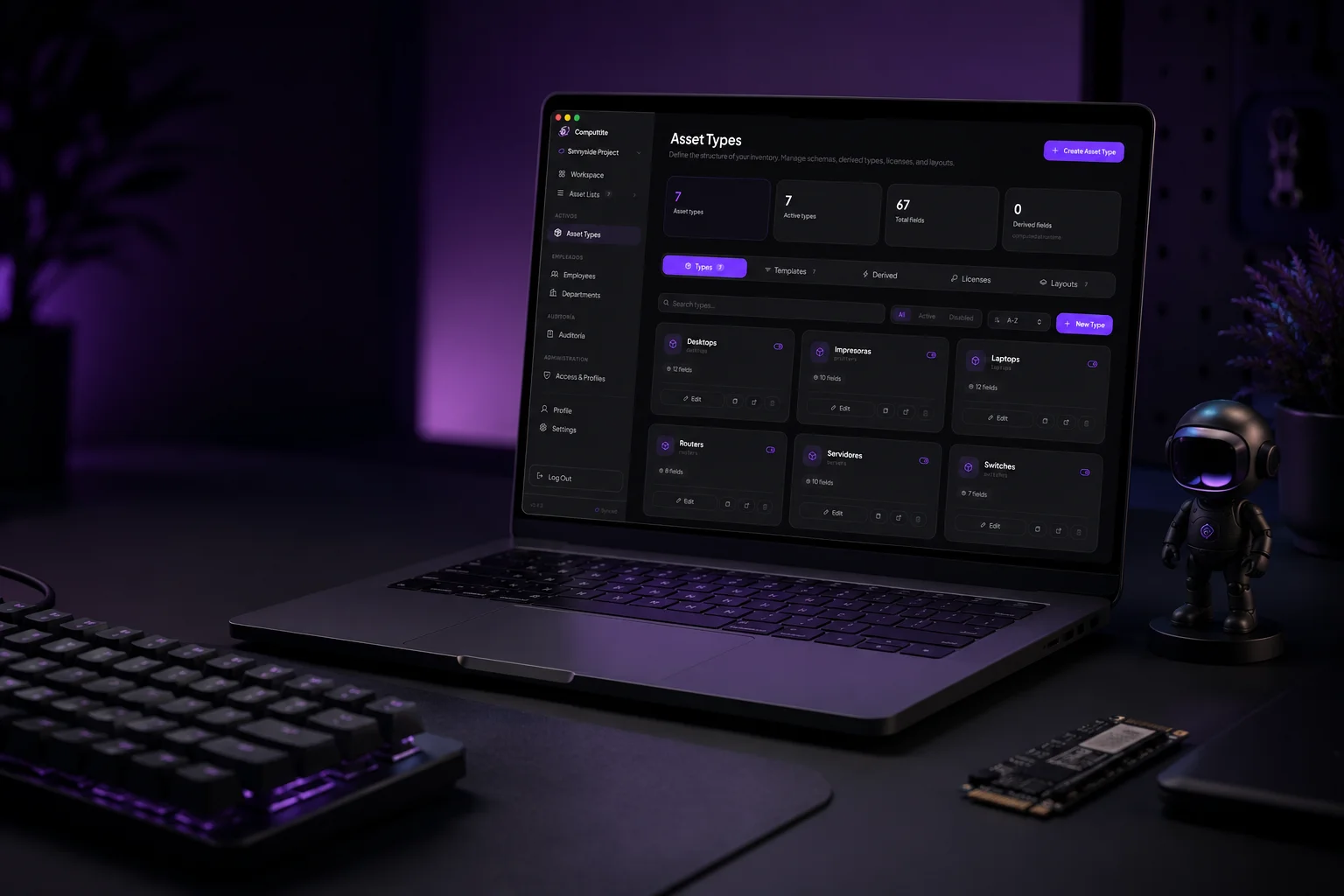
Your IT team has its own process. ✦
Your inventory shapes the software — not the other way around. Cloud-synced for teams, or fully offline.
01 The problem
Spreadsheets weren't built for this.
-
Assets go missing
No central record means equipment vanishes between teams, desks, and offices.
-
Ownership is a guess
When something breaks, nobody knows who has it, who had it, or where it went.
-
Audits are painful
Pulling a compliance report means manually reconciling three different spreadsheets.
-
Onboarding is manual
Every new employee needs gear tracked. Without a system, it's sticky notes and email threads.
-
History disappears
When someone leaves, the record of what they had and why goes with them.
-
Generic templates don't fit
Your inventory doesn't match a one-size schema. You need fields that reflect your actual equipment.
02 What is Computtite
Free software. No subscription, no lock-in.
Computtite is built by Sxnnyside Project under the SaaX philosophy — Software as an Experience. It’s free permanently, funded by users who choose to support it, not by a subscription or your data.
Cloud sync Fully offline macOS · Windows · Linux
-
No subscription, ever
Every feature is available to every user from the moment you install it. Computtite is permanently free software.
-
Your data stays yours
Local mode stores your entire workspace in a file on your machine. Nothing leaves without your action. In cloud mode, export it, transfer ownership, or delete your account entirely — whenever you want.
-
Adapts to your inventory
Forge lets you define asset types and fields from scratch, instead of forcing your inventory into a generic template. Your inventory, structured by you.
03 Features
Built around the way IT teams actually work.
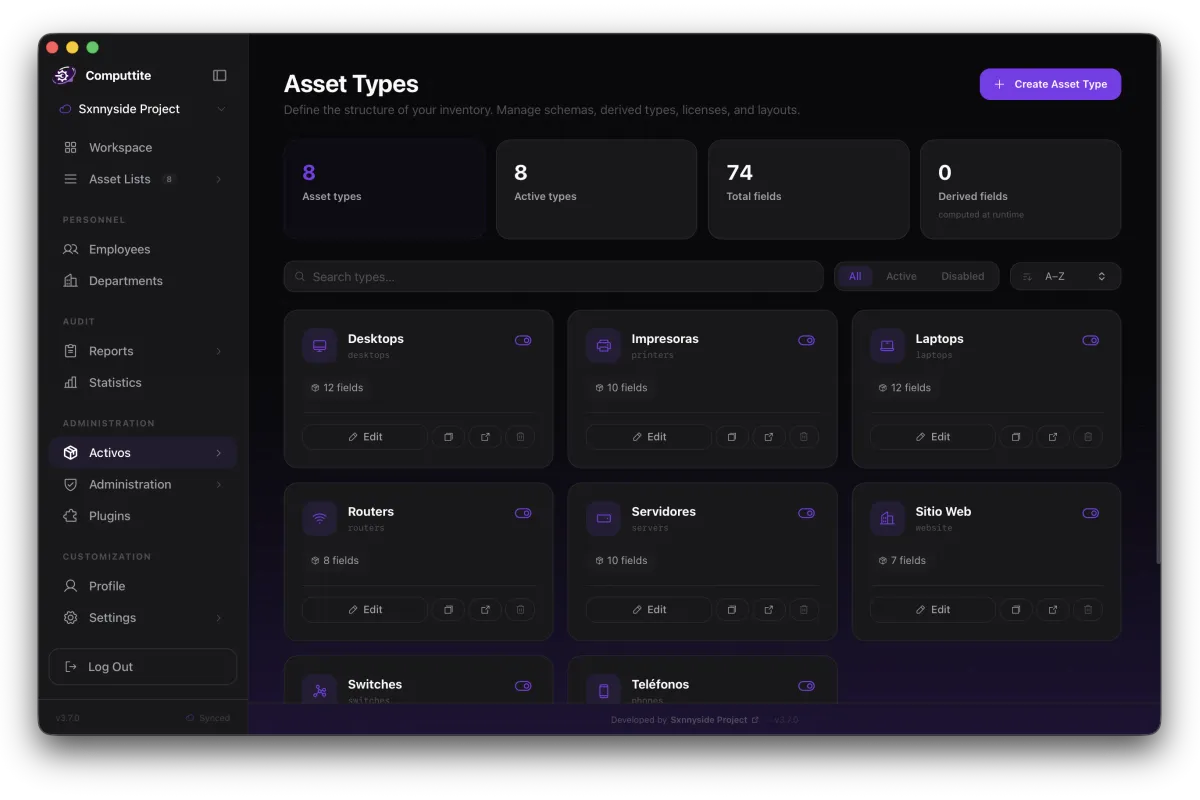
Asset management
Custom asset schemas — built in Forge
Forge is the workspace creation wizard. Define asset types, custom fields with validation, computed fields, and layouts — shaped to your actual inventory, not a generic template.
- Field types: text, number, date, select, multiselect, boolean
- Field validation: email, phone, URL, IPv4, IPv6, CIDR, hostname, port, MAC, IMEI, serial, UUID, semver, license key
- Computed fields: days since, days until, years since, months since
- Number display formats: currency, storage, network speed, duration
People
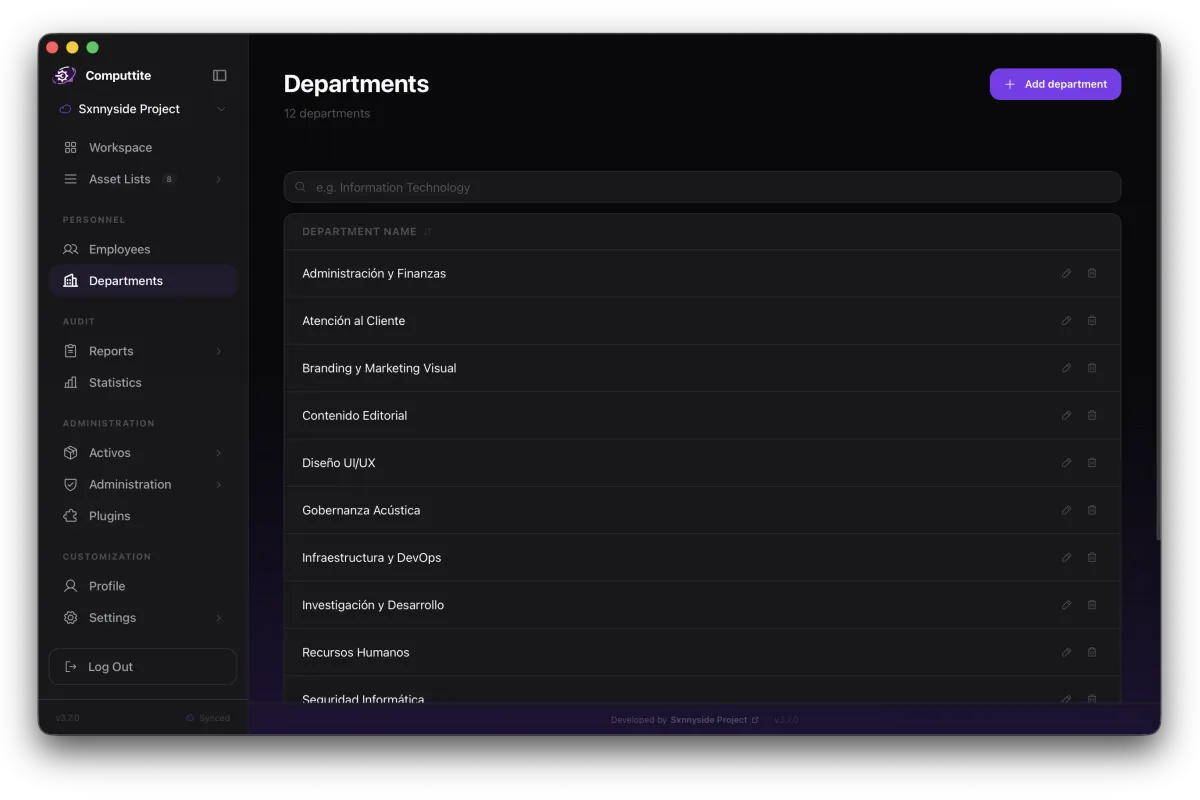
Employees, departments, and assignment history
Track every person in your organization alongside the assets they hold. Every assignment and return is recorded with a timestamp, department context, and optional notes.
- Employee profiles with job role, department, and avatar
- Asset-to-employee assignment and return tracking
- Full assignment history per asset and per employee
- Department grouping across assets and people
Governance
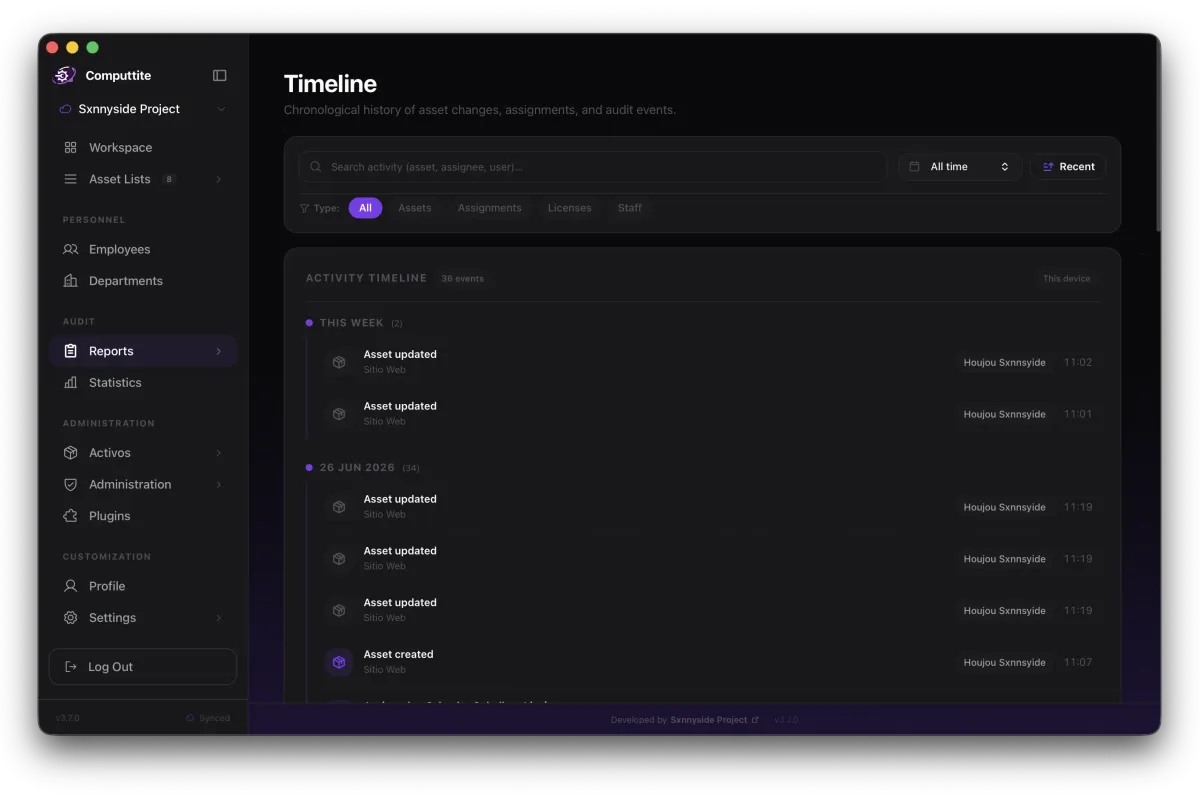
Permissions, visibility, and activity timeline
Control who sees what with named permission profiles and per-asset visibility rules. Every action is recorded — creation, update, assignment, return — in the activity timeline.
- Four roles: owner, admin, member, viewer
- Seven granular permissions: create, edit, delete, export, sync, manage members, edit settings
- Asset visibility: everyone, admins only, or restricted to specific profiles
- Activity timeline grouped by day with event type and actor
- Software license tracking with seat allocation and expiry alerts
Reporting
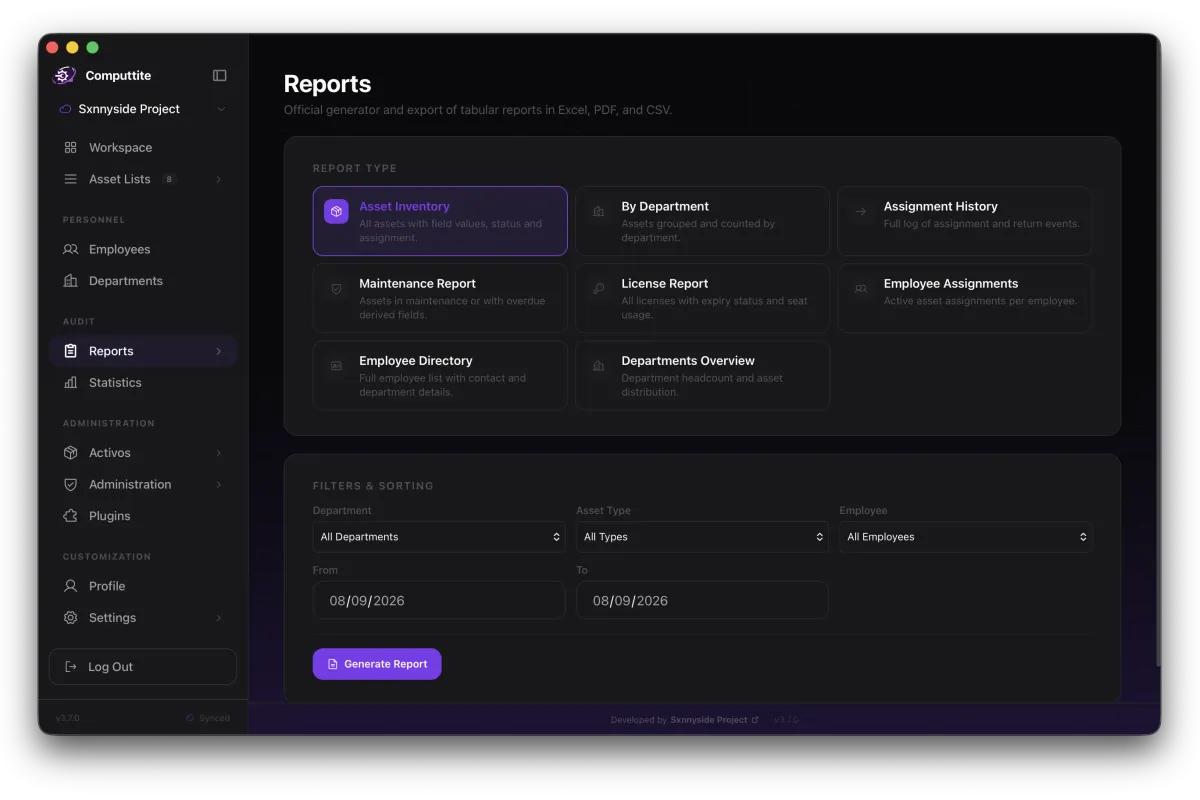
Eight report types with four export formats
Run reports on any slice of your inventory. Export as CSV, Excel, PDF, or Markdown. Push results directly to Google Workspace or Notion in cloud mode.
- Reports: inventory, by department, assignments, maintenance, licenses, employee assignments, employees, departments
- Export: CSV (Excel-compatible), Excel .xlsx, PDF, Markdown
- Filter by department, asset type, employee, and date range
- Saved reports: name, save, recall, and delete configurations
04 Deployment modes
Cloud or local. Your call.
Computtite runs in two distinct modes. You choose per workspace. Switch from local to cloud at any time.
Cloud mode
Your workspace syncs to the cloud in real time, with multi-user access and integrations with Google Workspace and Notion.
- Multi-user workspaces with role-based access
- Real-time sync across devices
- Google Workspace and Notion integrations
- Permission profiles and asset visibility grants
- Member invitations and access management
- Cloud offline package — download a local backup of your workspace
Local mode
Everything stays on your machine, in a single file you control. No internet connection required.
- No internet connection required — works fully offline
- Your entire workspace stored in a single file on your device
- Automatic backups: daily or weekly, up to 20 retained
- Backup integrity verification and one-click restore
- Manual export and import of your workspace database
- Migrate to cloud mode at any time when you're ready

Workspace Creation Studio
Build the workspace your inventory actually needs.
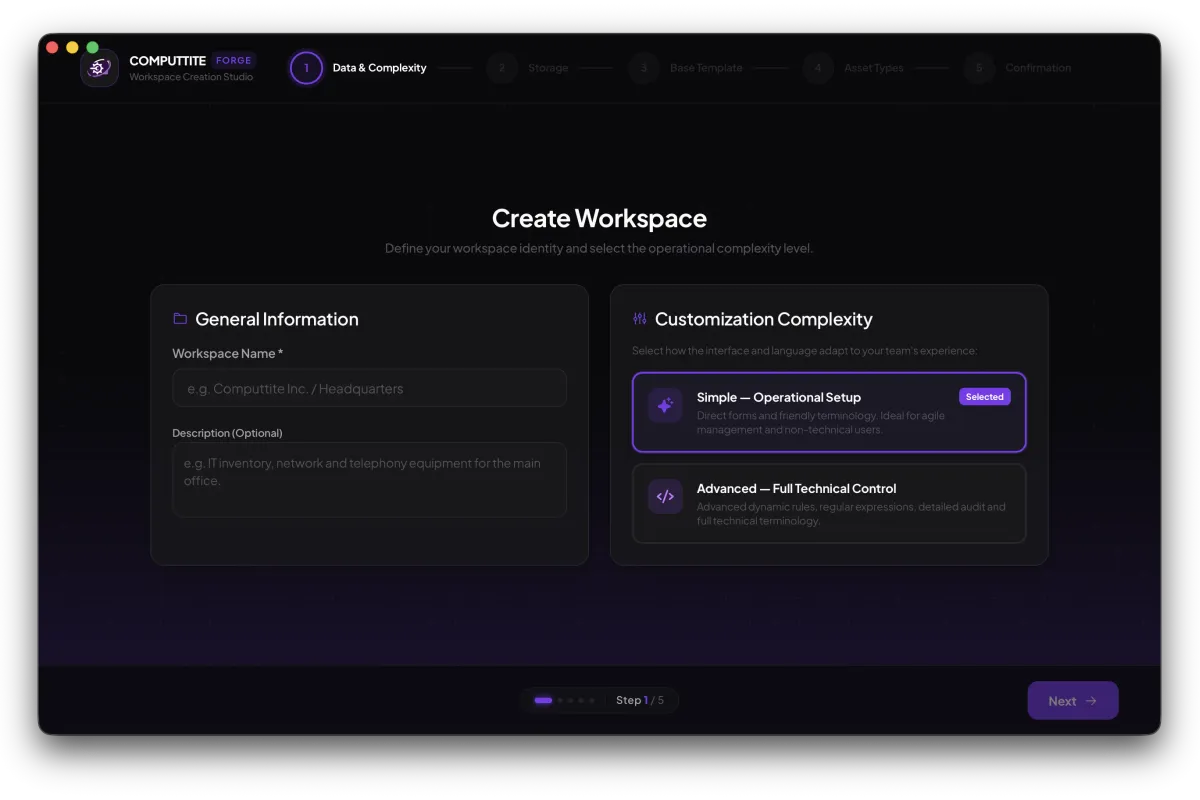
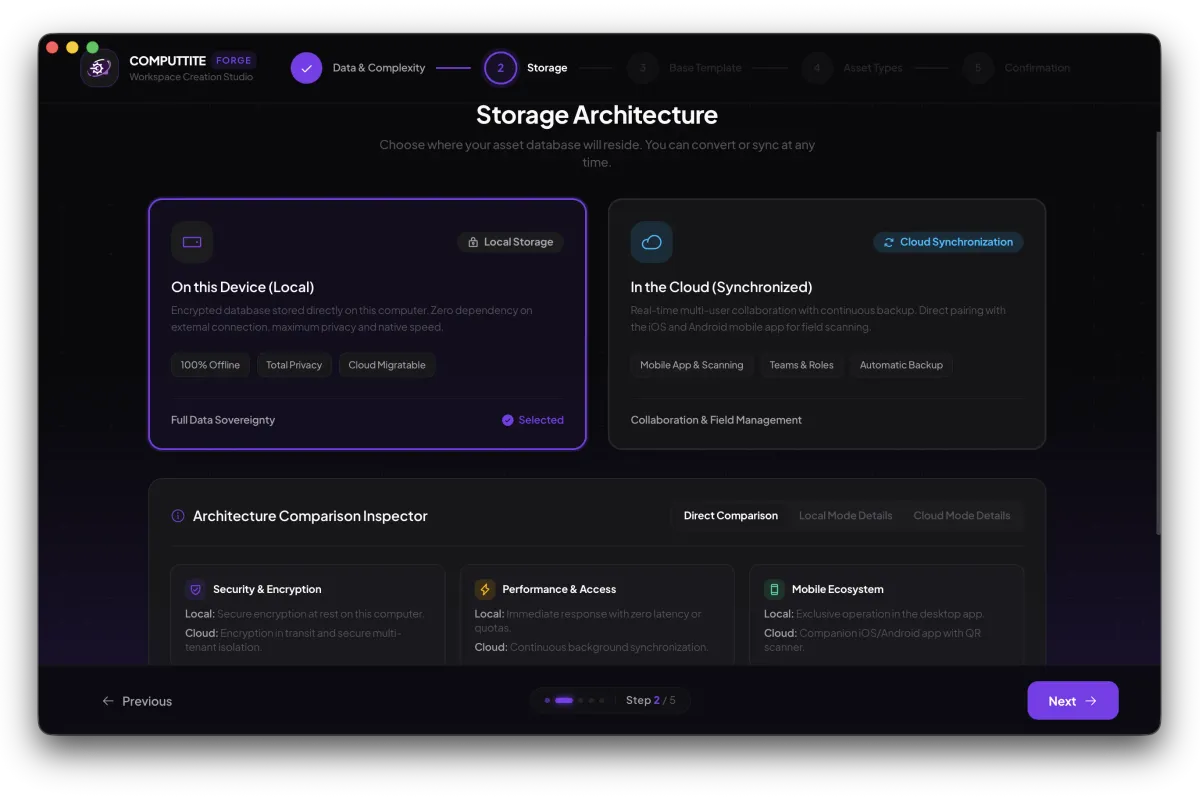
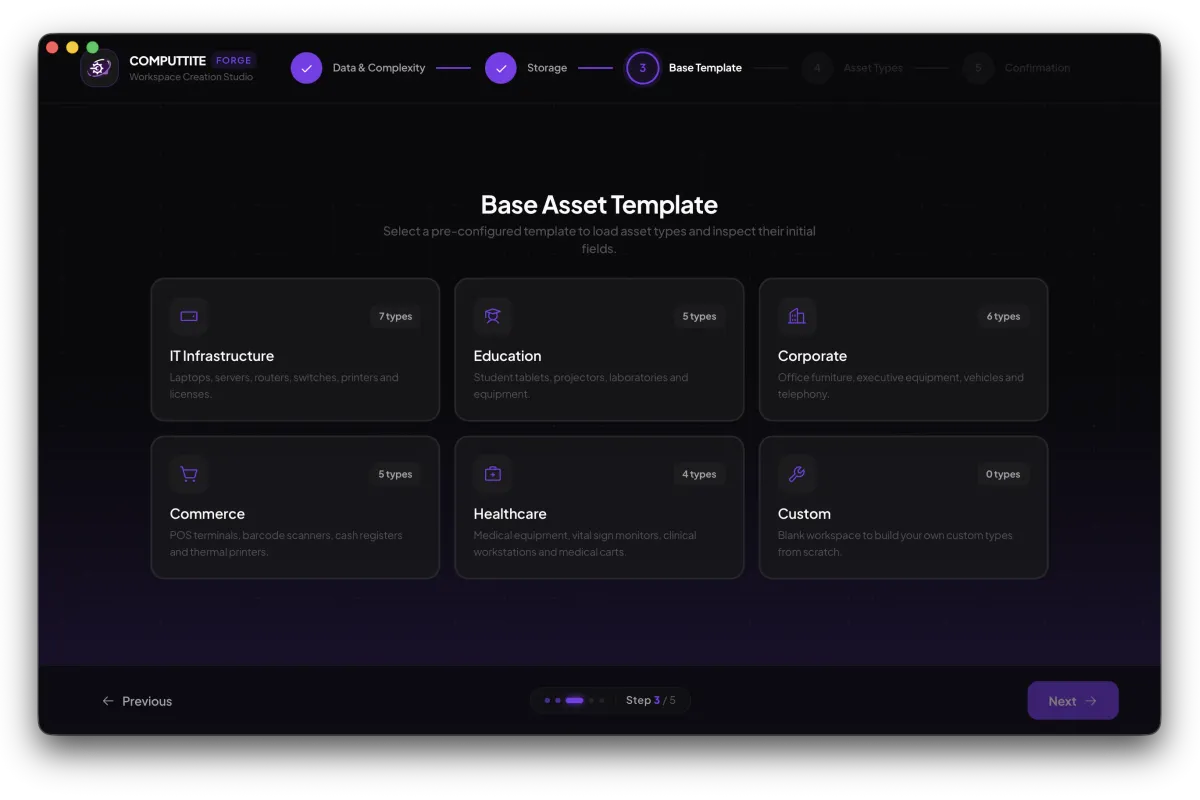
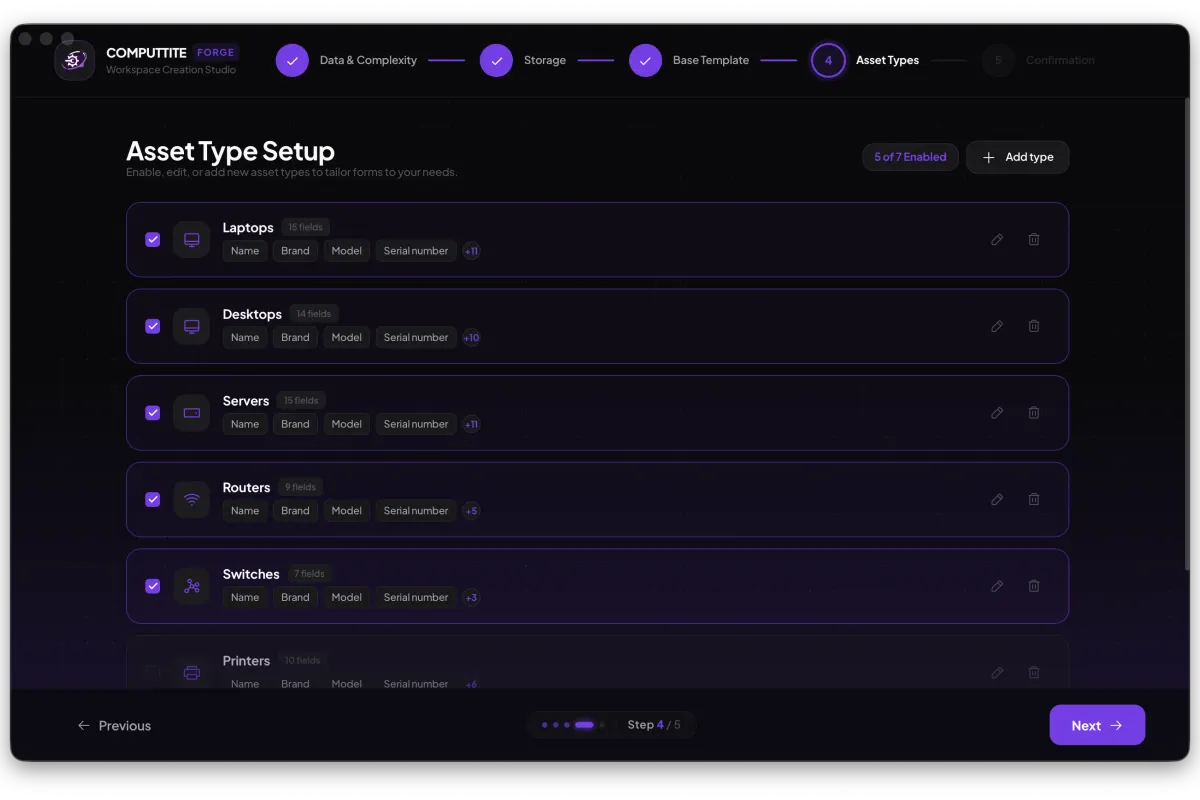
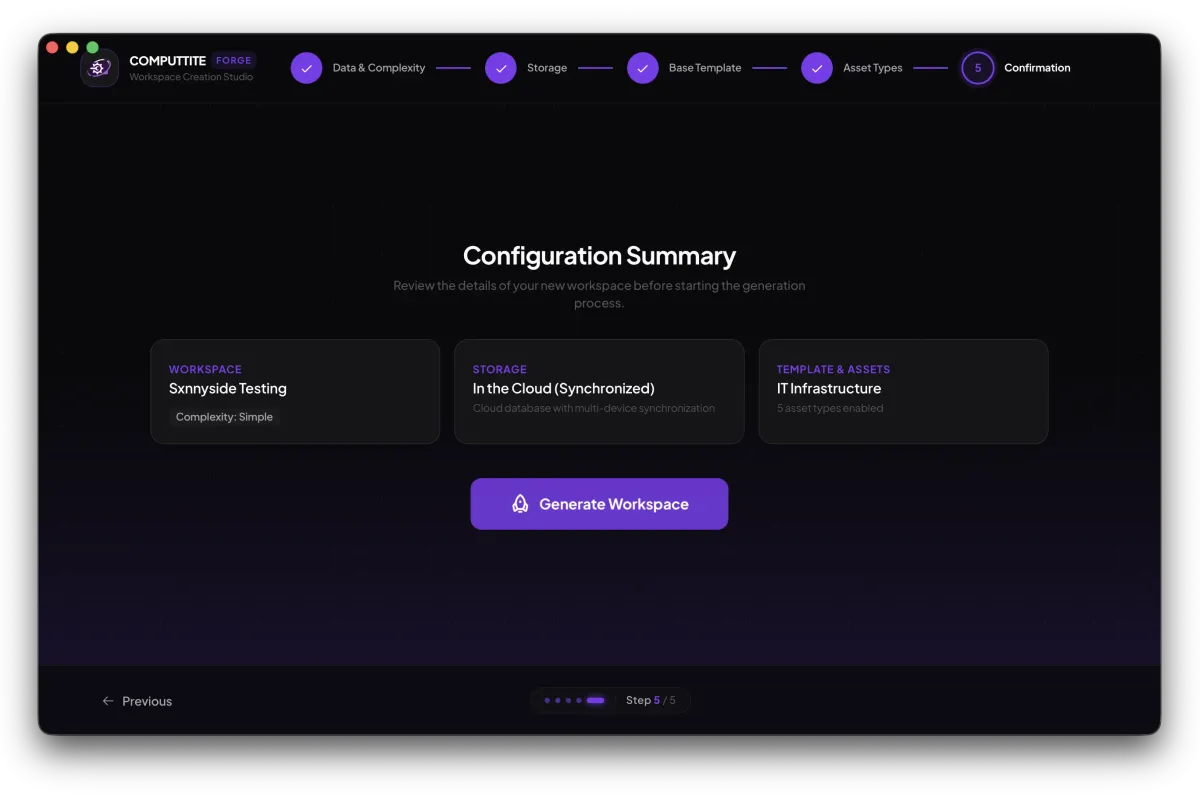
Forge is the workspace creation wizard. Choose an industry template or start blank, enable the asset types your team tracks, and configure fields that match your real-world inventory — not someone else's idea of it.
-
Name your workspace and choose Simple or Advanced — how much technical detail the interface shows.
-
Local is private and offline. Cloud syncs and lets your team collaborate.
-
Start from a curated industry template or choose Custom to start blank.
-
Enable or disable asset types, and adjust fields. You can do this later from your workspace.
-
Review your setup and create the workspace.
Industry templates
- IT Infrastructure Laptops, servers, routers, switches, printers, and licenses
- Education Student tablets, projectors, labs, and instruments
- Corporate Office furniture, executive equipment, vehicles, and phones
- Commerce POS terminals, barcode scanners, registers, and thermal printers
- Healthcare Medical equipment, vital sign monitors, clinical computers, and carts
- Custom A blank workspace to build your own types from scratch
05 Integrations
Push reports to Google Workspace and Notion, directly from Computtite.
Export any report to Sheets, Drive, or a Notion database without leaving the app. Available in cloud mode.
Google Workspace
Cloud onlyPush reports to Google Sheets and export files to Google Drive.
- One click to connect your Google account — nothing to copy or configure
- Pick any spreadsheet or Drive folder you already have access to
- Write to a new or existing sheet, or export a CSV straight to Drive
- Available in cloud mode
Notion
Cloud onlySync reports as Notion databases or structured pages.
- Connect your Notion account in one click — nothing to set up on your end
- Create a new database, add to an existing one, or generate a report page
- Choose from any page or database you’ve already shared with Computtite
- Available in cloud mode
06 Why Computtite
Not a spreadsheet. Not a locked SaaS.
| Feature | Spreadsheet | Cloud-only SaaS | Computtite |
|---|---|---|---|
| Custom asset schemas | Manual columns | Fixed templates | |
| Field validation rules | Basic | ||
| Computed fields (age, expiry) | Manual formulas | ||
| Offline / local mode | |||
| Cloud sync | |||
| Assignment history | Manual | ||
| Permission profiles | Basic roles | ||
| Per-asset visibility control | Limited | ||
| Activity timeline | |||
| Google Workspace export | Copy-paste | Varies | |
| Notion export | Varies | ||
| Desktop application | |||
| Data ownership | |||
| Free tier | Paid tiers | 1 workspace free |
07 Real users
From the people using it.
Survived an ISO audit
“I had an ISO audit with all my data scattered across different Excel files. Computtite let me resolve the nonconformity.”
Didn't expect free to mean this
“At first I thought it was just another SaaS. What surprised me was that it was free and fit exactly what I needed.”
No more version conflicts
“I went from fighting with my team over which document was up to date, to having a system that shows me everything in real time.”
Migrated from an expensive SaaS
“I couldn't believe a software could be so customizable. Thanks to Forge, I migrated from an expensive SaaS to Computtite, and now I have the exact fields my assets need.”
They actually shipped what I asked for
“I was using Computtite and needed Asset Visibility for my IT team, so I sent an email and got a fast response. When I saw they actually added what I asked for in the latest release, I felt like part of Computtite. That's how software should be.”
08 FAQ
Questions.
IT asset management built around your actual inventory.
One free workspace that holds everything you own and never expires.
Available for macOS · Windows · Linux